Auto-rotate yourAPI tokens.
Warden replaces your API tokens before they expire and updates every app that uses them. Your AI agents can use the tokens without ever seeing them.
Free and open source · Windows, macOS, Linux
What it does
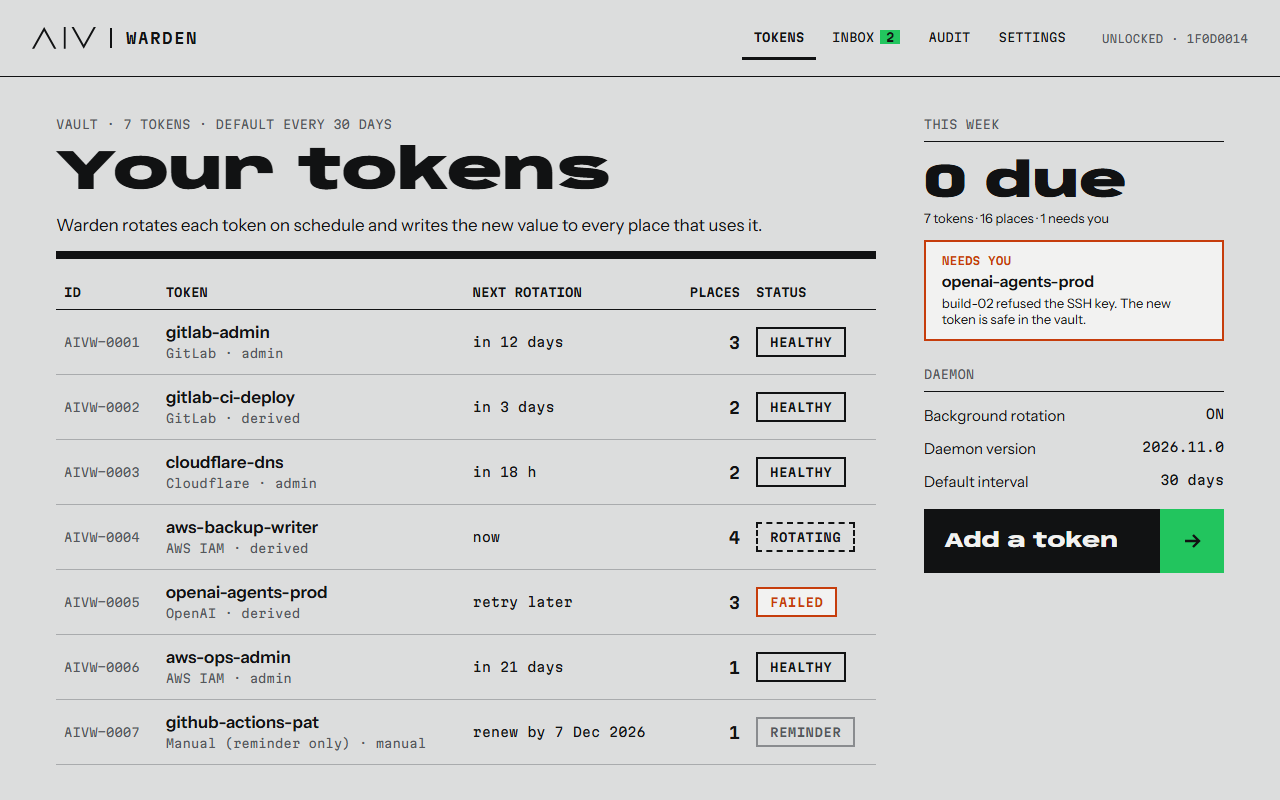
Rotation on a schedule
Every 30 days by default, or your own interval per token, and always before the end date. Admin tokens rotate themselves too.
Writes it where it's used
.env files, YAML and TOML keys, environment variables and remote files over SSH. Warden checks the new value before it revokes the old one.
Agents use, never read
Claude Code, Codex, Gemini CLI and other MCP clients call APIs through Warden. The token never shows up in the chat, the log or the model.
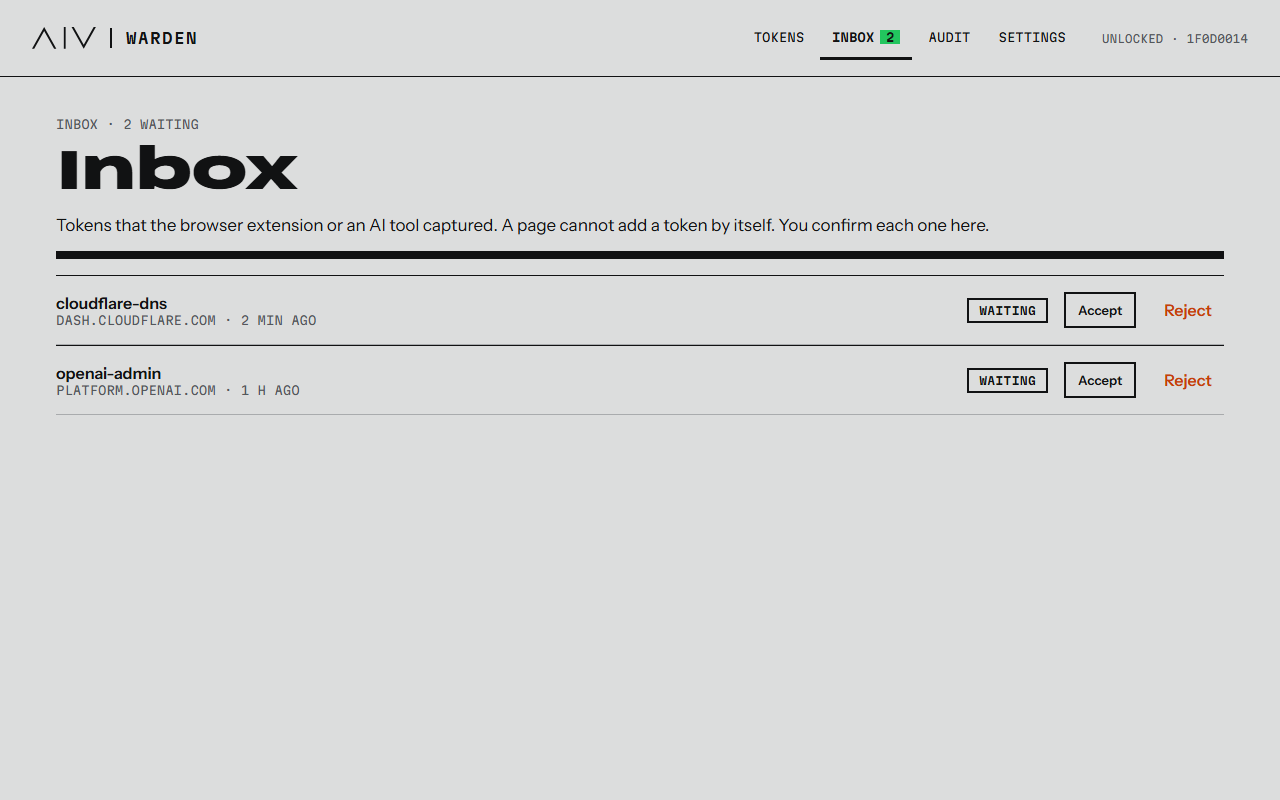
Save from the browser
Created a token on a provider page? Click the extension. It lands in your Warden inbox, masked, and you confirm it.
Encrypted vault
Argon2id and XChaCha20-Poly1305, with a password and a Secret Key. Sync the folder with Syncthing, Dropbox or git, and only ciphertext travels.
Quick unlock
Windows Hello, Touch ID or polkit instead of your password, if you want it.
Why it's different
No server, no account
Warden runs on your computer. There is no cloud copy of your tokens, and nothing to sign up for.
Never in a broken state
Create, write, verify, then revoke. If a server refuses the new token, the old one stays valid and Warden tells you.
Made for AI agents
One click connects your AI tools. Each tool gets its own pairing and only the tokens and hosts you allow.
Open source
MIT licensed. Read the code that handles your secrets.
Quiet
One note when something needs you, at most once a week per problem. Otherwise it just works.
See it work
Get started
1. Install
Install Warden with Homebrew, winget or the installer from GitHub. Open the app.
2. Create your vault
Set a password. Print the Emergency Kit with your Secret Key and keep it safe. Nobody can recover it for you.
3. Add a token
Pick the provider, paste the admin token or save it with the extension, and choose where the value goes. Then connect your AI tools.
Before you start
Warden is young. Keep the old value of a token until you have seen the first rotation work. A token that a provider cannot rotate by API becomes a reminder before its end date.
Free and open source
Warden is free and open source. If it saves you time, we'd like a coffee, or a star on GitHub. If something breaks, open a ticket on GitHub.
Warden sends no data to AIVory. Your tokens never leave your computer. Read the privacy policy and the documentation on GitHub.